
# Voldeno Studio - Abstract Blocks and Implementations
Some devices do the same job and differ only in how you talk to them. Every air conditioner has power, an operating mode, a target temperature and a fan speed, but one takes commands over HTTP on the local network, another over Modbus and yet another only over infrared. Voldeno splits these two concerns into two blocks:
- An abstract block holds the logic shared by every device of a kind. It has inputs and outputs, and you wire it into the rest of the program like any other block.
- An implementation block knows one particular device or device family and how to communicate with it. It has no inputs or outputs of its own - it only works attached to an abstract block.
This keeps the automation program independent of the device brand. Replacing an air conditioner with a different model means swapping the implementation block, while the links, schedules and mobile app widgets stay as they are.
# How it works
                     ┌──────────────────────────────┐
  Thermostat ───────▶│  Air conditioner             │──────▶  Visualization
  Schedule   ───────▶│  (abstract block)            │──────▶  Fault alarm
                     │  inputs, outputs, logic      │
                     └──────────────┬───────────────┘
                          commands  │ ▲ readings
                                    ▼ │
                     ┌──────────────────────────────┐
                     │  Daikin BRP069               │◀─────▶  Air conditioner
                     │  (implementation block)      │  LAN    on the local network
                     └──────────────────────────────┘
- The abstract block receives signals on its inputs, enforces the configured limits and decides when to send a command to the device and when to read its status.
- It hands the communication itself to the attached implementation block, which translates the command into the device's protocol.
- When the device answers, the implementation passes the readings back and the abstract block publishes them on its outputs.
Both blocks run locally on the Hub. Talking to the device needs neither the manufacturer's cloud nor internet access - the Hub only has to reach the device on the local network.
# Attaching an implementation in Voldeno Studio
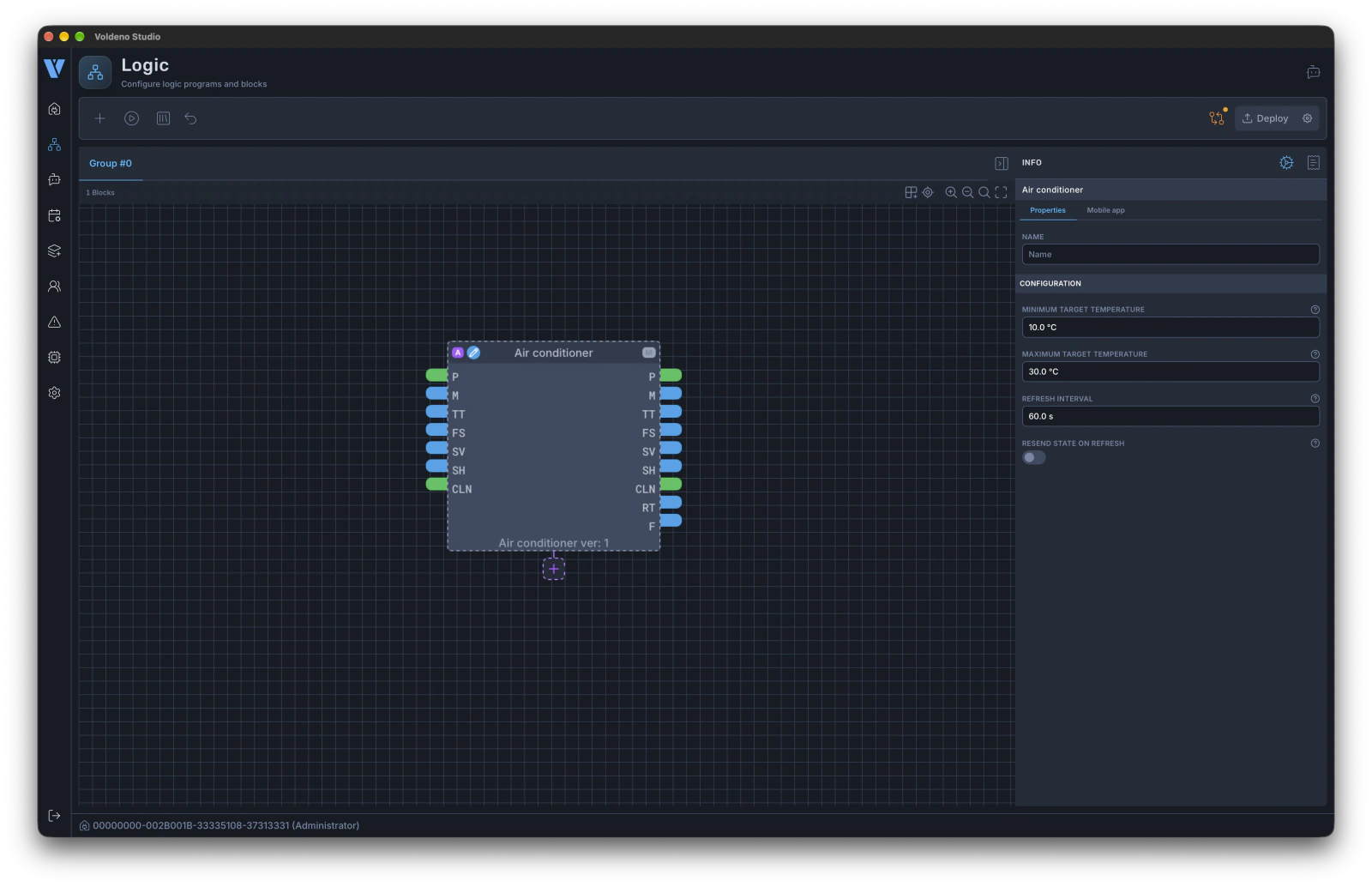
- Add the abstract block to the program in the logic editor like any other block, for example Air conditioner. Abstract blocks carry a purple A badge in their header.
- An implementation socket marked with + appears below the abstract block. Click it (tooltip: "Attach implementation block").
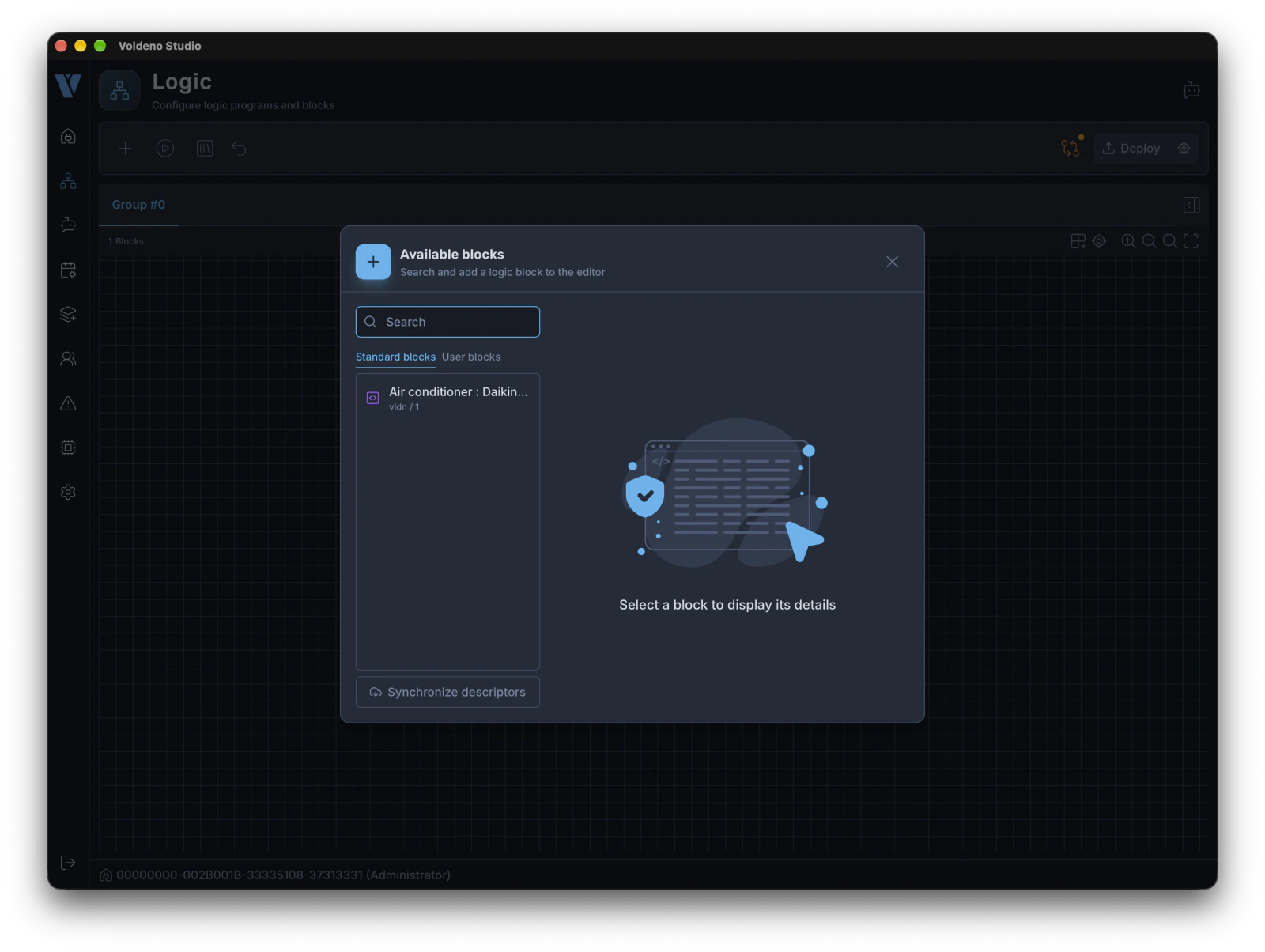
- The block list opens, narrowed down to the implementations that fit this block. Pick the one that matches your device.
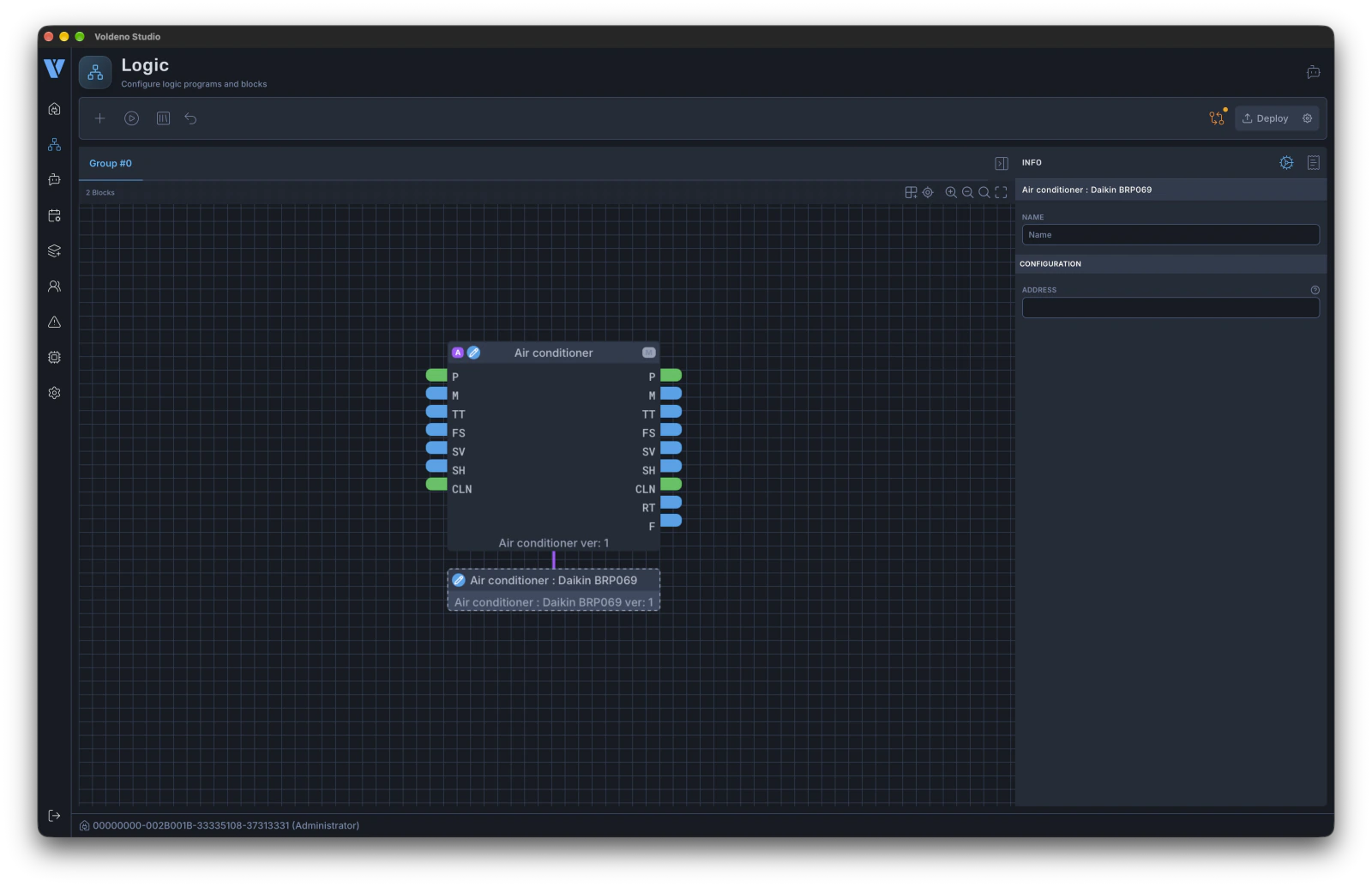
- The implementation block is placed right below the abstract block and linked to it, and the socket disappears. Select the implementation block and fill in its settings in the configuration section of the side panel, for example the Address field with the device's network address.
- Deploy the program to the Hub.
A few rules worth keeping in mind:
- One abstract block takes one implementation. The socket disappears once an implementation is attached and comes back when you remove it.
- An implementation does not exist without its abstract block. It cannot be placed on the canvas as a standalone block - first add the abstract block it implements, then attach the implementation through that block's socket. The implementation is listed in the block search, but it cannot be added from there directly.
- An implementation follows its block. It moves together with it on the canvas, and deleting the abstract block deletes the attached implementation too.
- A different device means a different implementation. Remove the current implementation block and attach the new one through the socket. The abstract block's links to the rest of the program stay untouched.
# Which configuration goes where
Each of the two blocks has its own configuration and cannot see the other's.
| Block | What you configure | Air conditioner example |
|---|---|---|
| Abstract | behavior that does not depend on the device | target temperature range, status refresh interval |
| Implementation | how to reach the particular device | address of the Wi-Fi adapter on the local network |
If you are not sure where to look for a setting, ask yourself whether it would change after replacing the device with another brand. If it would, it belongs to the implementation.
# What the mobile app shows
The abstract block defines how the device looks in the Voldeno Mobile app. When you expose it in the app, its inputs become controls - for example power, operating mode or target temperature - and its outputs become readouts, such as room temperature or a fault indication. The implementation block has no inputs or outputs, so it does not appear in the app at all.
The Air conditioner block (vldn/air_conditioner) is an example. The app recognizes it and shows a dedicated screen for it: the room temperature at the top (output room_temp), followed by the power switch (power) and the target temperature (target_temp). The range in which the user can set the temperature comes from the abstract block's configuration (min_target_temp and max_target_temp). The operating mode (mode), fan speed (fan_speed) and louver position (swing_v, swing_h) are chosen on separate screens, and the available options match the input values described in the block.
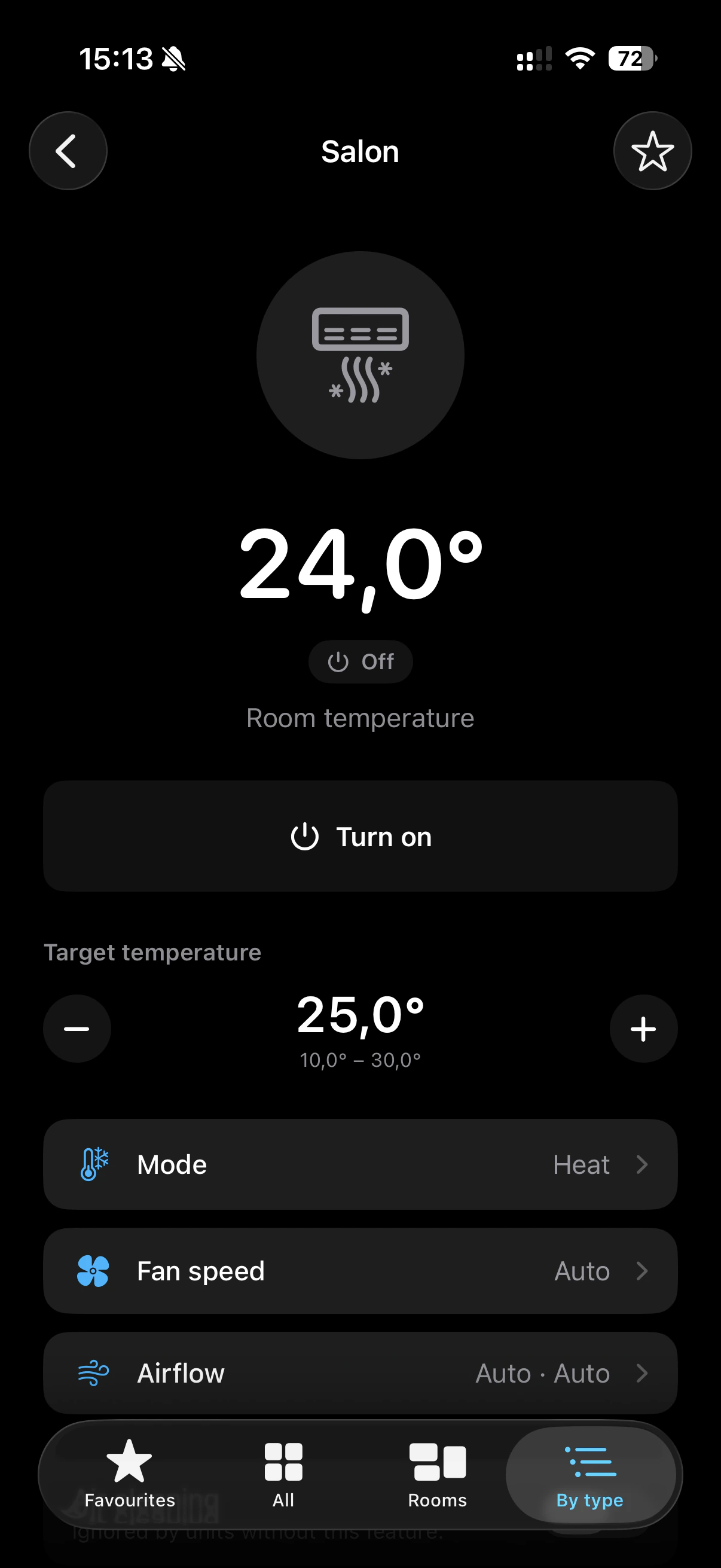
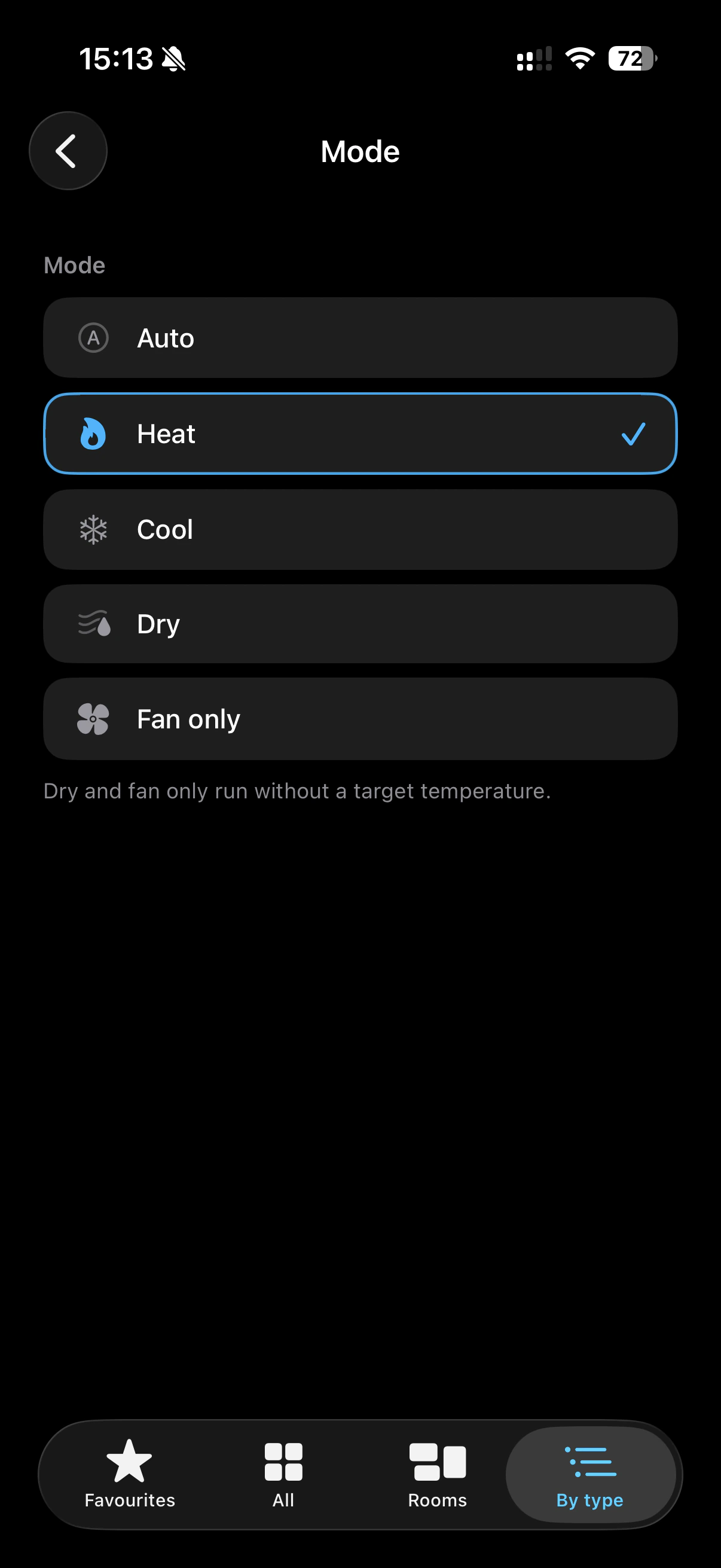
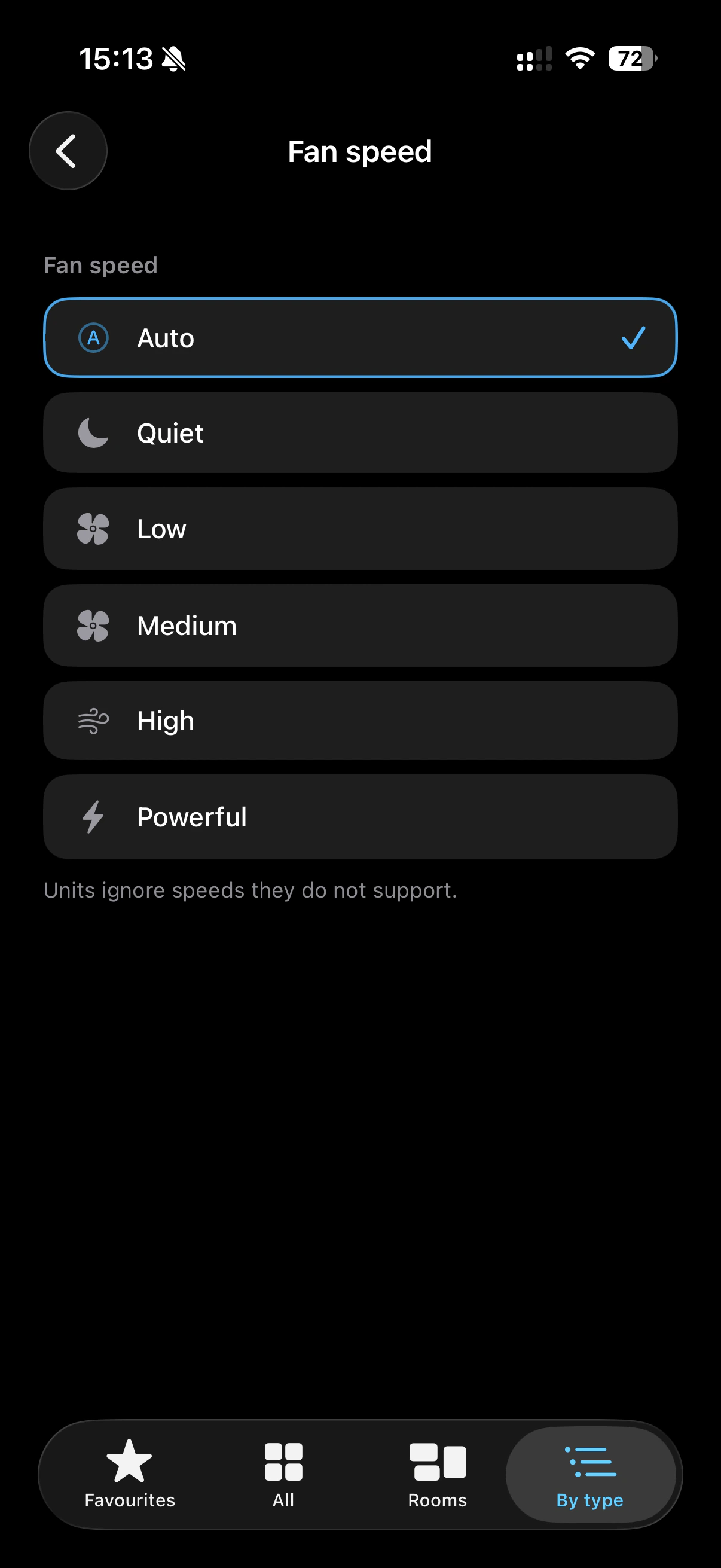
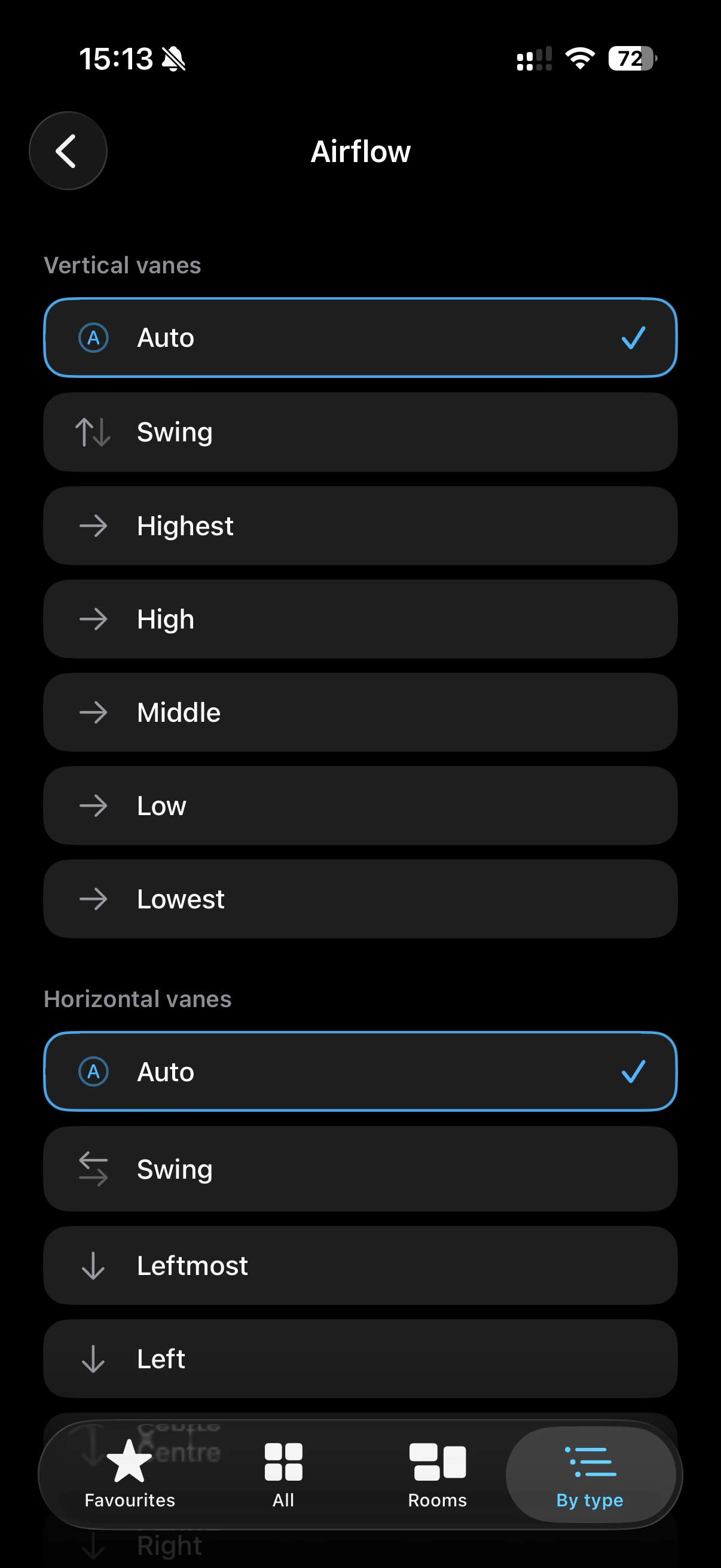
As a result, every device of a kind looks the same in the app regardless of the brand, and swapping the implementation changes nothing about what the user sees and controls.
# Device status and faults
The abstract block publishes on its outputs what the device actually reports, as long as the implementation can read that status back. A change made with the manufacturer's remote therefore shows up in Voldeno after the next refresh. Values the device does not report are published as the abstract block commanded them.
Communication problems end up on the abstract block's fault output, so you can handle them in the program, for example by sending a notification. The meaning of the codes is described in the documentation of the specific block and its implementation.
An abstract block without an attached implementation can be deployed, but it will not send anything to the device - its outputs will only show the values set on its inputs. Before deploying, make sure the socket of every abstract block is taken.
network implementations connect to the device at the configured address. Reserve that address for the device in your router (DHCP reservation) so it does not change after a restart.
# Available abstract blocks
The current list of abstract blocks together with their implementations is in the logic blocks overview, under Abstract blocks. The implementations of a block are also listed in its documentation, in the "Implementing blocks" section.
# What's next
- Logic blocks - overview - every block available in Voldeno
- Define logic in Voldeno Studio - the basics of the logic editor