
# Voldeno Studio - AI Assistant
The AI assistant is the part of Voldeno Studio that turns a sentence into working logic. You describe the behaviour you want, it reads the project already in the installation, and it lists every change it intends to make. Nothing reaches the canvas until you approve it, and nothing reaches the hardware until you deploy.
It works in two directions: building new logic, and explaining logic that is already there.
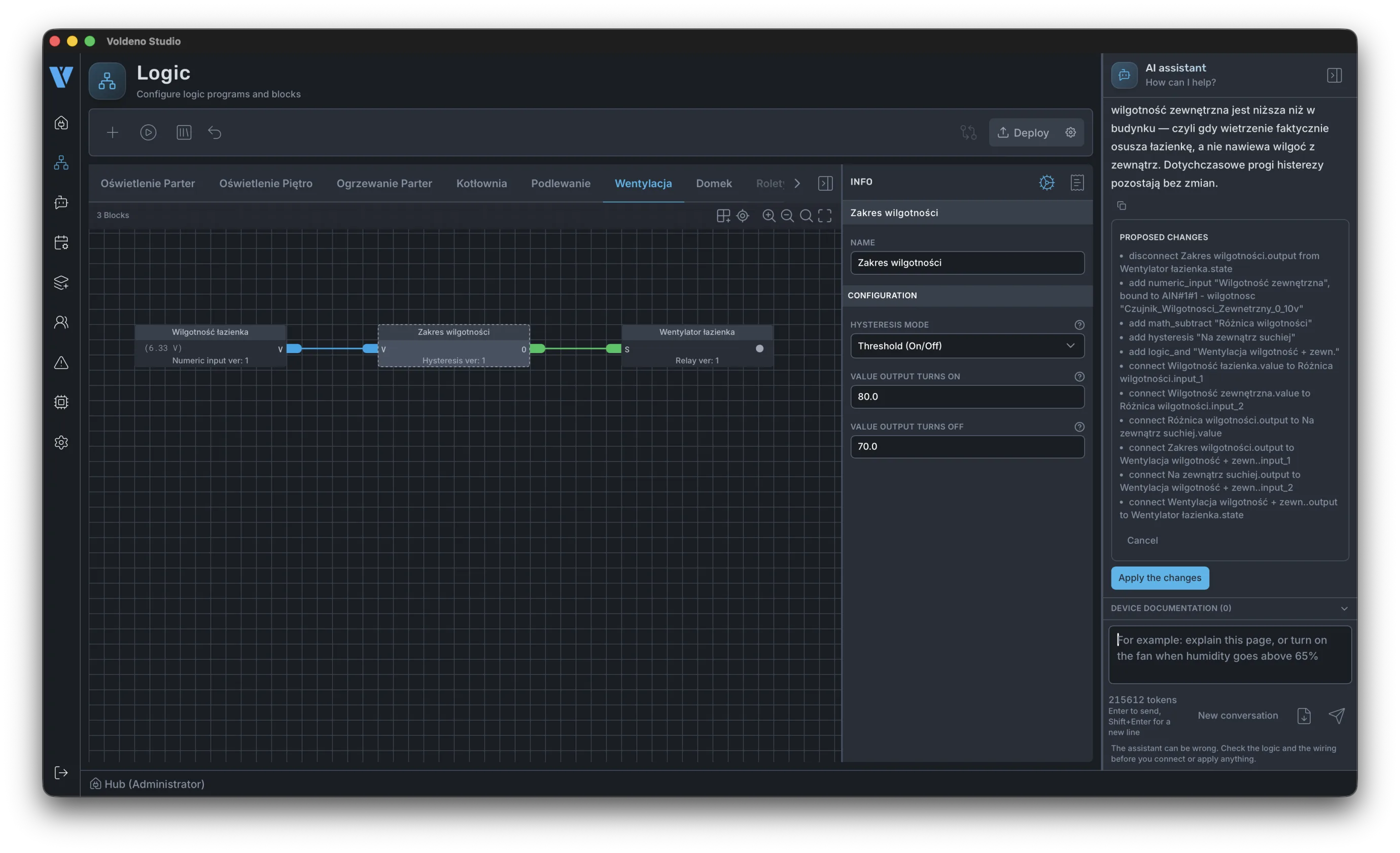
# Describe, review, approve
The assistant is docked beside the logic canvas, so it always works in the context of the group you have open.
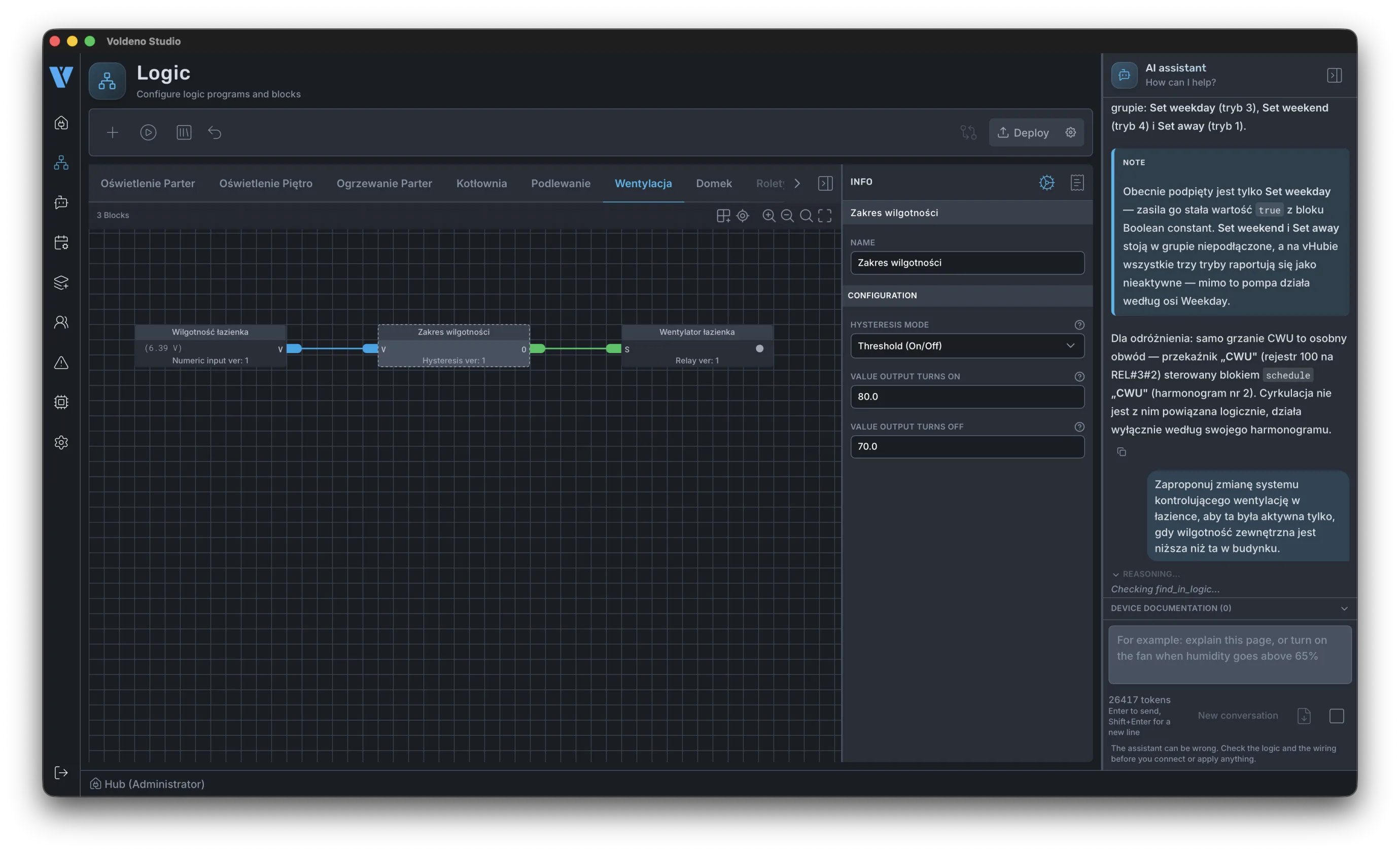
- Describe the behaviour. Plain language, no syntax: "run the bathroom fan only when outdoor humidity is lower than indoor".
- Review what it proposes. The assistant reports what it found, explains the approach, then lists the individual operations: blocks to add, registers to bind, connections to make, and connections to remove.
- Approve or cancel. Approving applies the whole set at once. Cancelling leaves the project untouched.
- Simulate, then deploy. Run the new logic in Studio before it goes anywhere near a panel, as described in How to define logic in Voldeno Studio from scratch.
Approval applies the whole set at once. The assistant picks the blocks it needs, binds them to the right registers and wires them into what is already on the canvas, leaving values you tuned by hand as they were. Extending an existing group with a new condition is the same operation for it as building logic from scratch.
The assistant proposes, you decide. There is no mode in which it edits a project or deploys to a Hub without an explicit confirmation.
# Asking how an existing installation works
Connect to a building you have never seen and you can ask it how it behaves. The assistant reads the modules on the bus, the registers, the logic blocks and their connections, and the schedules, then answers in those terms rather than in generalities.
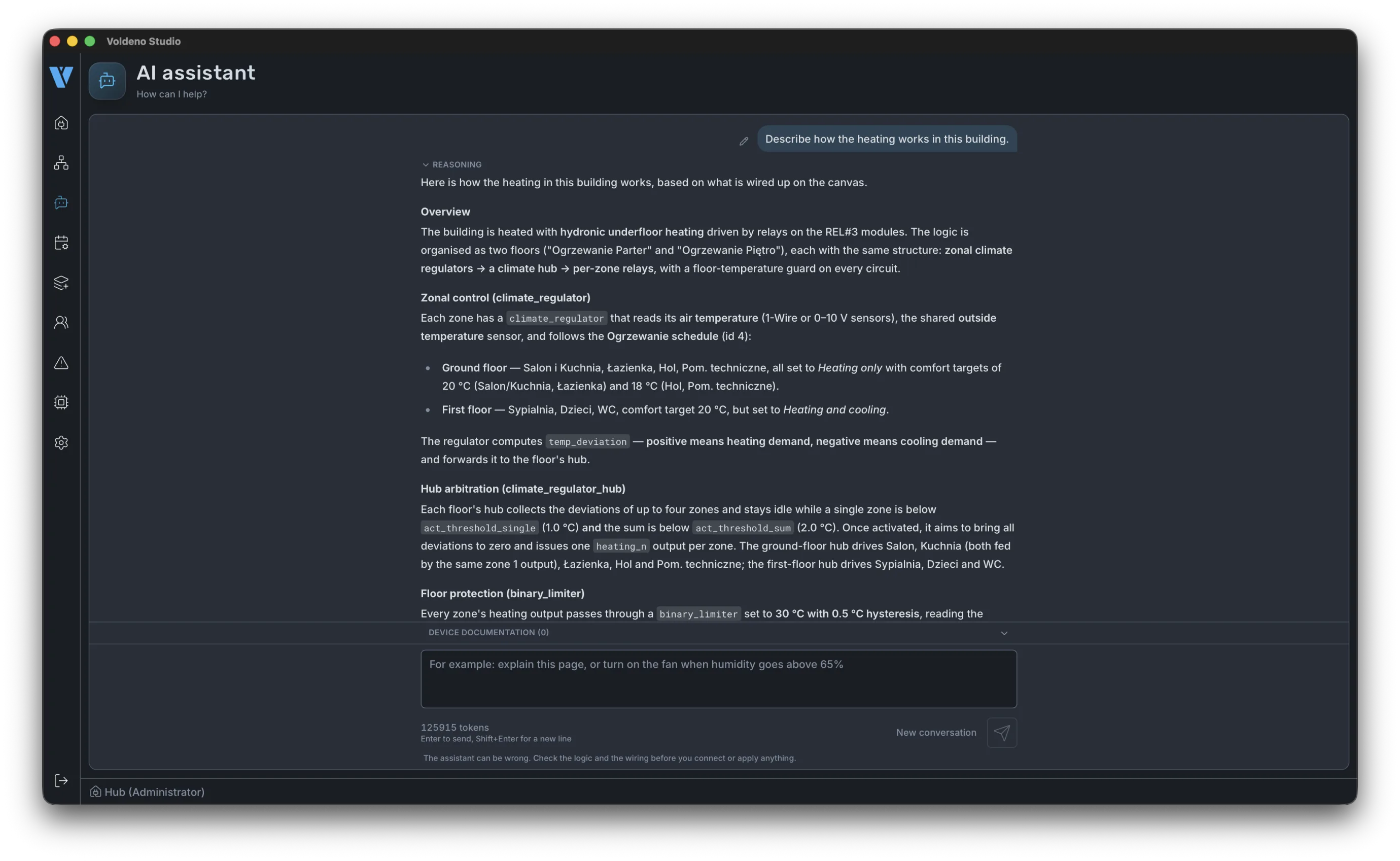
Ask about heating, ventilation or irrigation and it works from the device back through the blocks driving it to the sensors, thresholds and schedules that decide its state. It answers with the names from your own project, so you know immediately where to look when something needs to change.
Two consequences matter on site:
- A project is no longer stored in one person's head. A new installer needs nothing from the previous one, because the complete project lives in the installation.
- It flags what is configured but not connected. A block someone set up and never wired, or an operation mode left unattached, gets reported rather than discovered a year later.
# When there is no block for the job
The Logic Blocks library covers common scenarios, and it does not cover every device that exists. When a heat pump, inverter, gate drive or alarm panel falls outside it, the assistant writes the integration in Volang, over HTTP, TCP, UDP or Modbus.
A block written this way is a normal block. It appears in the library, it can be placed and wired like any other, and it can be reused in the next project.
# Why this is safe to do at all
Letting software write automation logic for a house only works if bad logic cannot do damage. Three properties make that true, and they are architectural rather than added on:
- Isolation. Every Volang script runs isolated on the VolangVM embedded in each module, with no reach outside its own space. A faulty or malformed script stops itself. It does not stop the module, the other blocks on it, or the rest of the bus.
- One engine everywhere. The same virtual machine runs in Studio, in the digital twin and on every module. Logic that behaves correctly in simulation behaves the same way on the hardware, because it is not a different implementation being approximated. See Volang and VolangVM.
- A 1:1 simulation to test against. New logic is exercised against a model of the installation before it is deployed, which is what gives the assistant a feedback loop rather than a guess.
Simulation checks the logic, not the physics. A script can be correct and still express a bad idea about a building, so review the proposed behaviour as well as the listed changes. Volang and VolangVM covers the limits of verifying behaviour in simulation in more detail.
# What the assistant can and cannot see
| It reads | It does not |
|---|---|
| Modules on the Voldeno Bus and their registers | Change anything without your approval |
| Logic blocks, their configuration and connections | Deploy to the Hub on its own |
| Schedules and operation modes | Take part in running the house after deployment |
| Live input and output state for context | Require an internet connection for the installation to work |
The last row is the one homeowners ask about. The assistant is a configuration tool. Once logic is deployed it runs locally on the modules, and pressing a wall switch or reaching a setpoint involves no AI and no cloud service.
# Where to go next
- Voldeno Studio - Installation and Walkthrough covers the rest of Studio: modules, schedules, deployment and simulation.
- Volang and VolangVM explains the language and virtual machine the assistant writes against.
- Logic Blocks is the reference for every block: inputs, outputs, configuration and state.
- Core concepts and terminology places Studio, the Hub and the modules in relation to each other.